Finance teams
Year-end rebates for finance: accurate accruals, a complete audit trail
The rebate receivable is often one of the hardest items to estimate before closing. Palier gives you validated figures, a projection on the landing forecast and a record of every decision.
For finance
Figures you can rely on
Exact amounts
Amounts computed in cents, rates to four decimals, one rounding per scale: Palier’s rebate is the agreement’s rebate.
An in-year projection
Validated turnover, the landing declared by suppliers and the projected rebate, updated every period.
A complete audit trail
Who entered, validated, proposed, accepted or reopened, when, with the values before and after.
Ready-to-use exports
Turnover grid, results and analysis in Excel, PDF recaps per supplier and year.
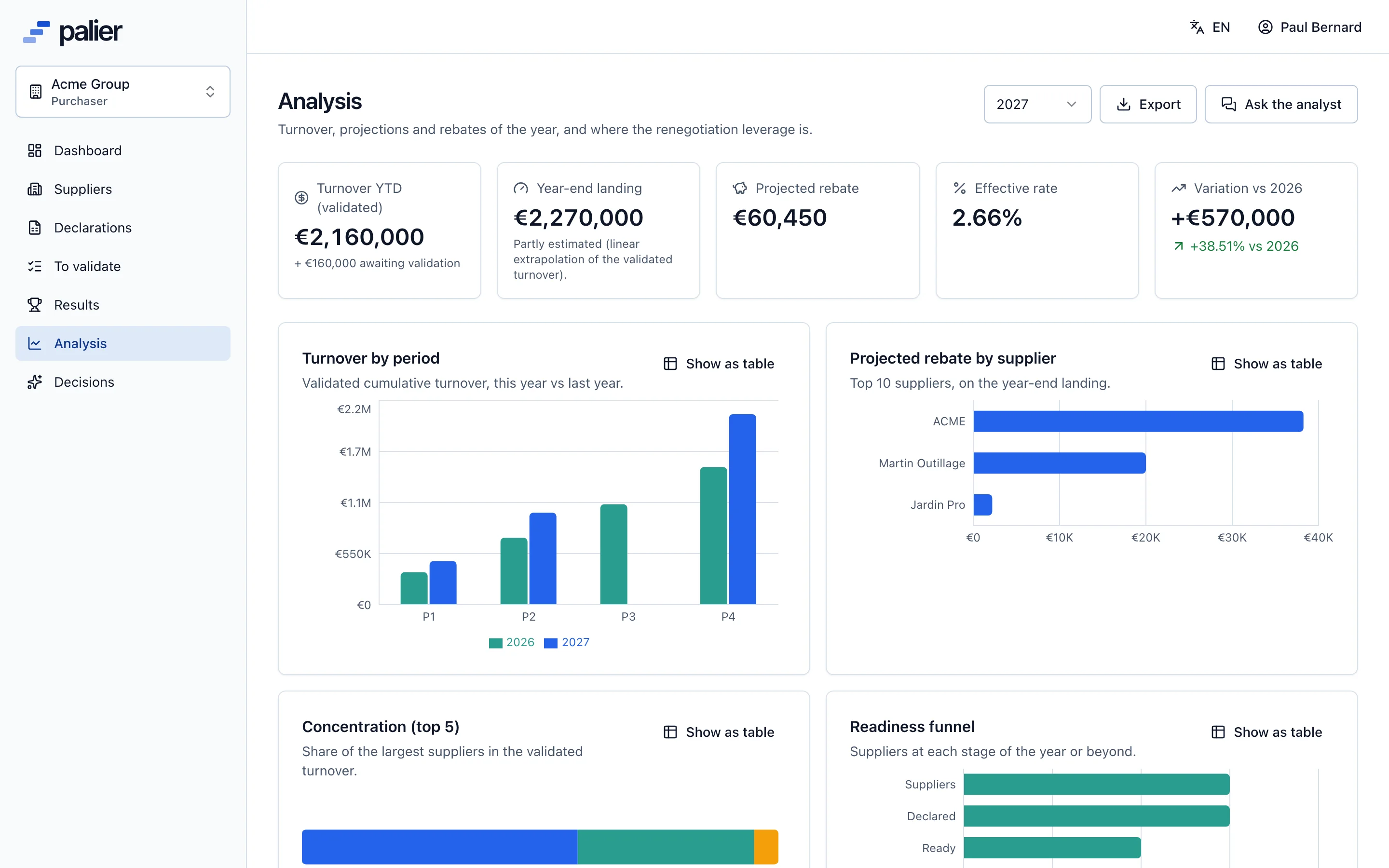
Projection
Estimate the rebate receivable before closing
The analysis dashboard follows validated turnover, the landing announced by suppliers, the projected rebate and the effective rate, compared with last year.
- Validated turnover and turnover awaiting validation
- Projected rebate and effective rate
- Change against last year
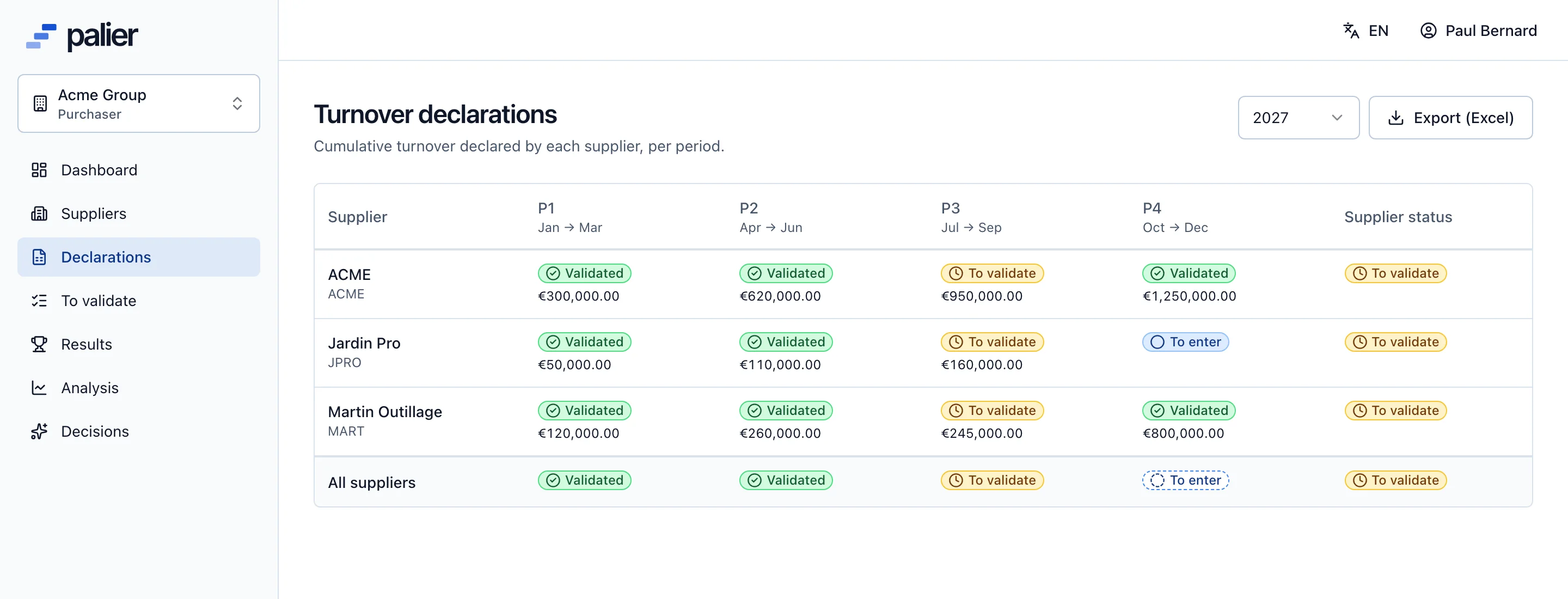
Tracking
See the status of every declaration, everywhere
The account grid crosses suppliers and periods: to enter, submitted, validated, refused. Row and column totals show what remains before closing.
- Status per cell and rollups
- Read-only access with the viewer role
- Excel export of the grid
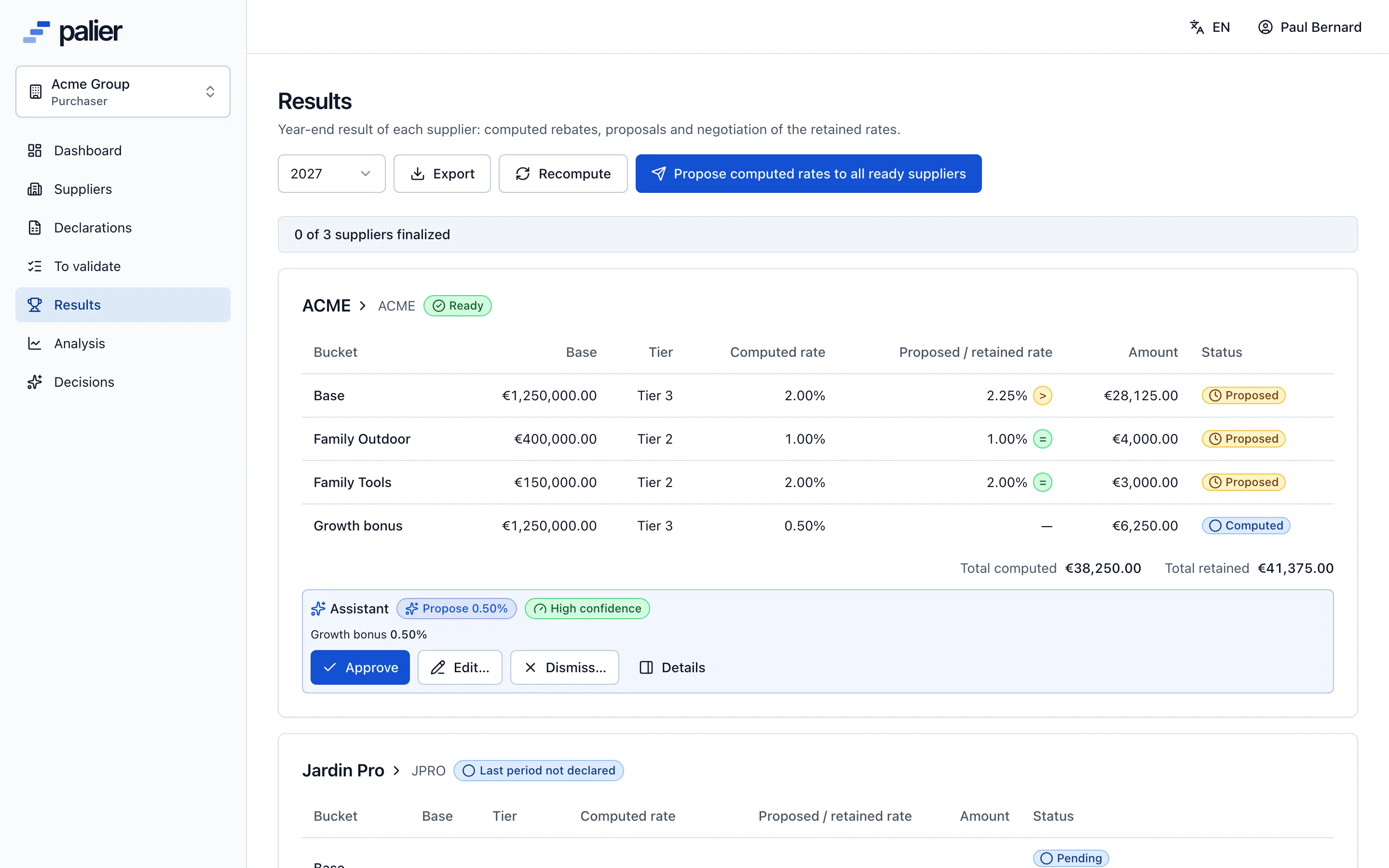
Closing
Reconcile the negotiated rebate with the computed one
The results board shows, for each supplier, the computed total and the retained total after negotiation, scale by scale, with the finalisation status.
- Computed and retained totals
- Numbered revisions after a reopening
- PDF recap at finalisation
Through the year
Rebates in your closing calendar
- 1
Every period
Follow validated turnover and the landing, spot late suppliers.
- 2
Before each close
Export the analysis: projected rebate per supplier and effective rate.
- 3
At year end
Results computed as soon as the last period is validated, then retained rates negotiated.
- 4
At finalisation
PDF recaps per supplier, results export for issuing credit notes or invoices.
- 5
For an audit
The audit log finds every entry and every decision with its author.
Questions from finance teams
How does Palier estimate the rebate before year end?
From the validated turnover and the landing declared by each supplier, to which Palier applies the agreement’s scale. The figure is labelled as a projection until the last period is validated.
Can management control get read-only access?
Yes, with the viewer role: it reads all the account’s data and can export, without changing anything.
Are the amounts exact to the cent?
Yes. Amounts are stored in cents, rates to four decimals, and each scale is rounded once, to the euro or the cent as the account is set up.
Does Palier issue the rebate credit notes or invoices?
No. Palier computes, negotiates and documents the rebate; credit notes or invoices are issued in your ERP, fed by the results export and the PDF recaps.
See Palier on your own tier scales
30 minutes through declarations, validation, calculation and negotiation of your rebates. Send us a scale and we will set it up for the demo.
- Demo on your sample data
- In English or French
- No commitment