Features
Every feature you need to run year-end rebates end to end
Turnover declarations, validation, tiered scales, calculation, negotiation, analysis and next year’s scale: every step of the year-end rebate has its screen, its checks and its record.
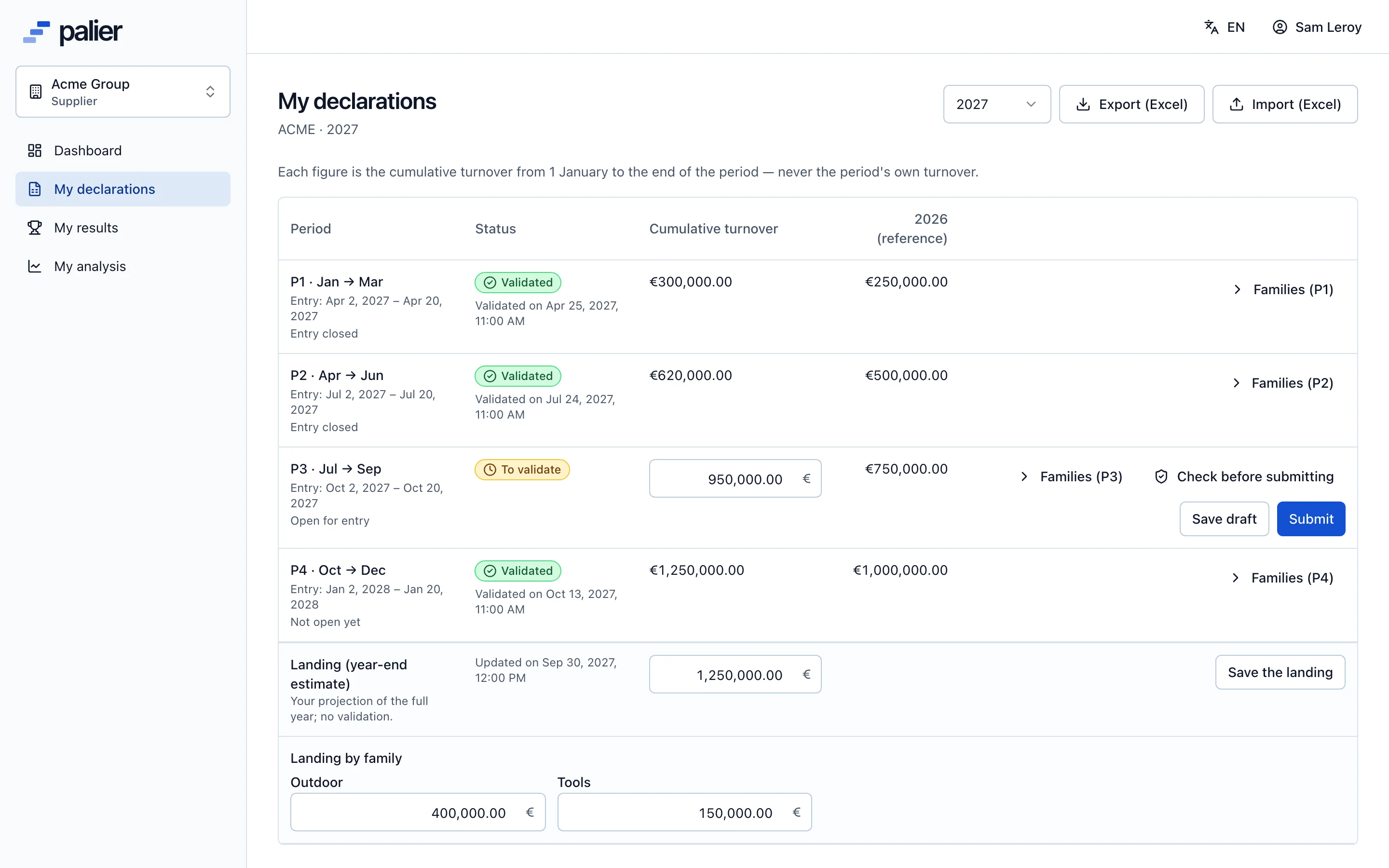
Turnover declarations
Suppliers declare at the right time, in the right format
Each account sets its periods for the year (1 to 12, contiguous, January to December) with their entry and validation windows. The supplier enters its turnover cumulated since 1 January, period by period, plus the landing, its estimate for the full year.
- Cumulative turnover entry, with the previous period and last year for reference
- Split by product family plus an “other” share, sum checked live
- Saveable drafts, submission, refusal reason shown
- Excel template import by the supplier, in two steps: preview then commit
- Automatic reminders seven days and one day before the period closes
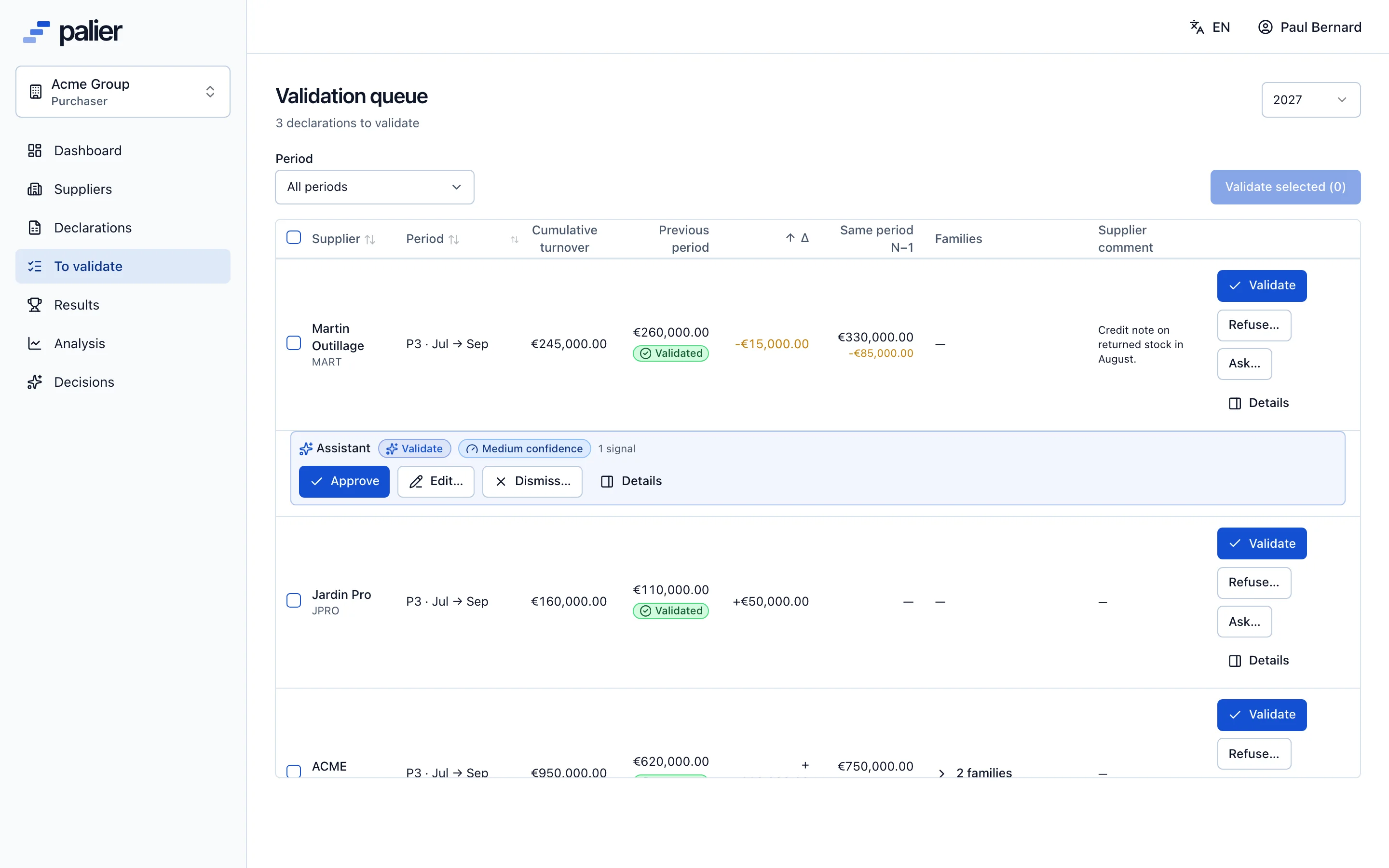
Validation
Purchasers validate fast because they see what changed
The validation queue lists submitted declarations with the total, the previous period, the variance, last year and the supplier’s comment. The account grid shows every supplier and every period, with a status per cell.
- Single or bulk validation, refusal with a mandatory reason
- A question to the supplier without changing the declaration’s status
- Automatic checks: cumulative decrease, ×1000 error, gap to last year or to the landing, suspiciously round figure…
- A validated declaration is frozen; only a reasoned reopening changes it
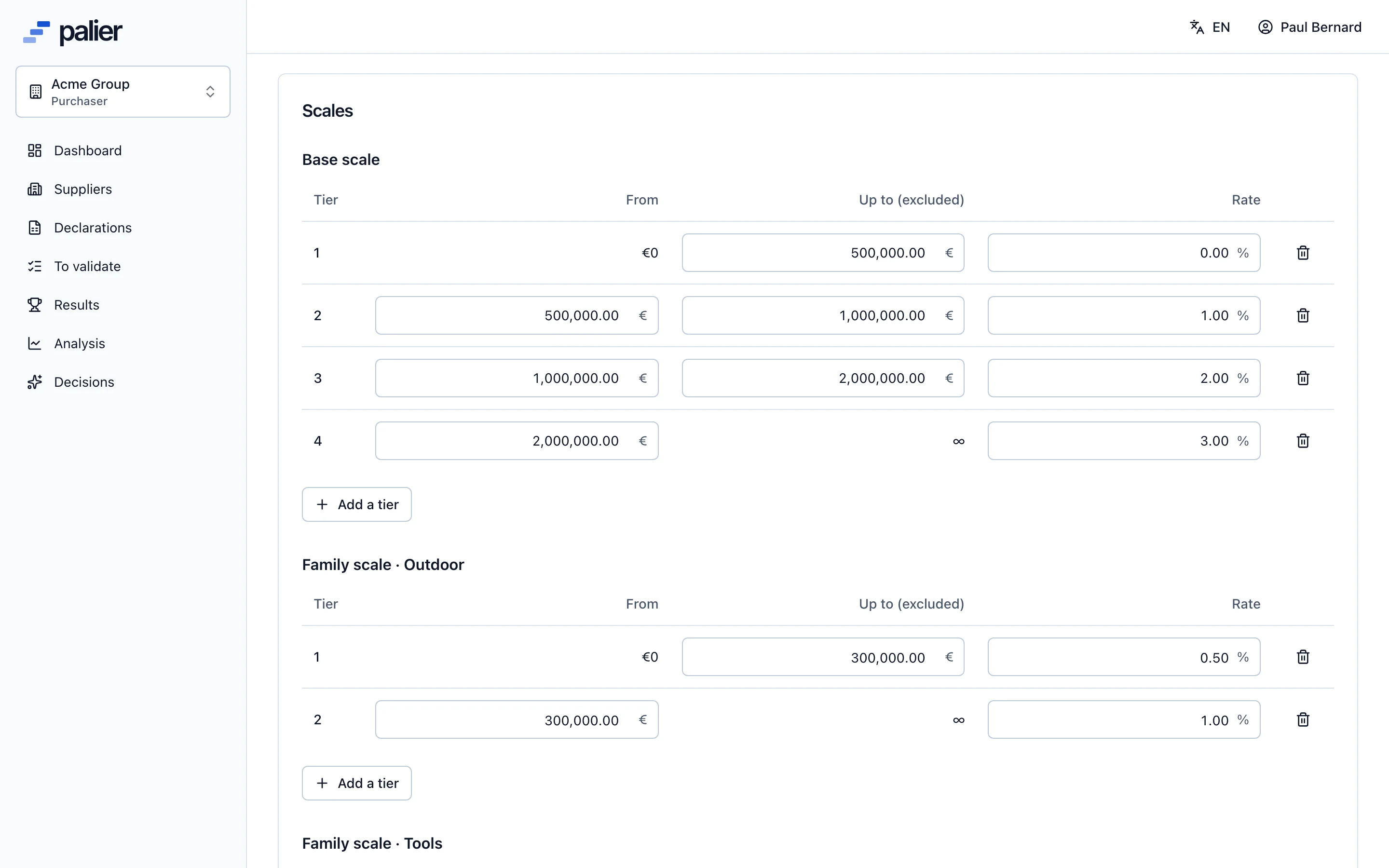
Agreements and scales
One agreement per supplier and year, scales built to measure
The annual agreement holds the base scale, on total turnover, and optionally product family scales and a growth bonus on the year-over-year change. Each kind of scale has its own mode: whole rate, where the reached tier’s rate applies to all turnover, or marginal rate, slice by slice.
- Contiguous tiers checked as you type, last tier without a ceiling
- Growth bonus on the variation in euros or in percent
- Rebate preview for a sample turnover, with the same engine as the final calculation
- Excel import and export of scales
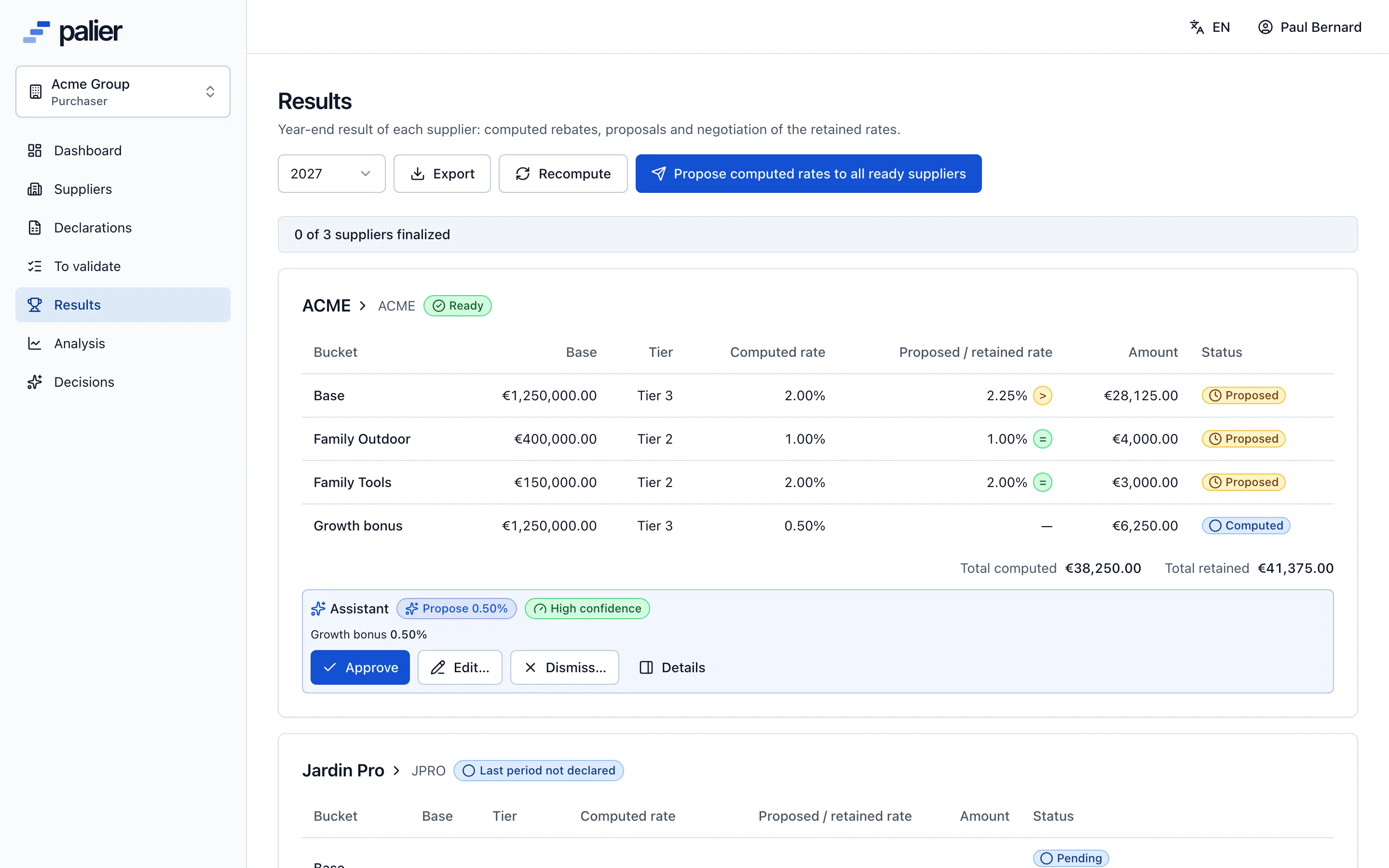
Calculation and negotiation
The rebate computes itself, the retained rate is negotiated online
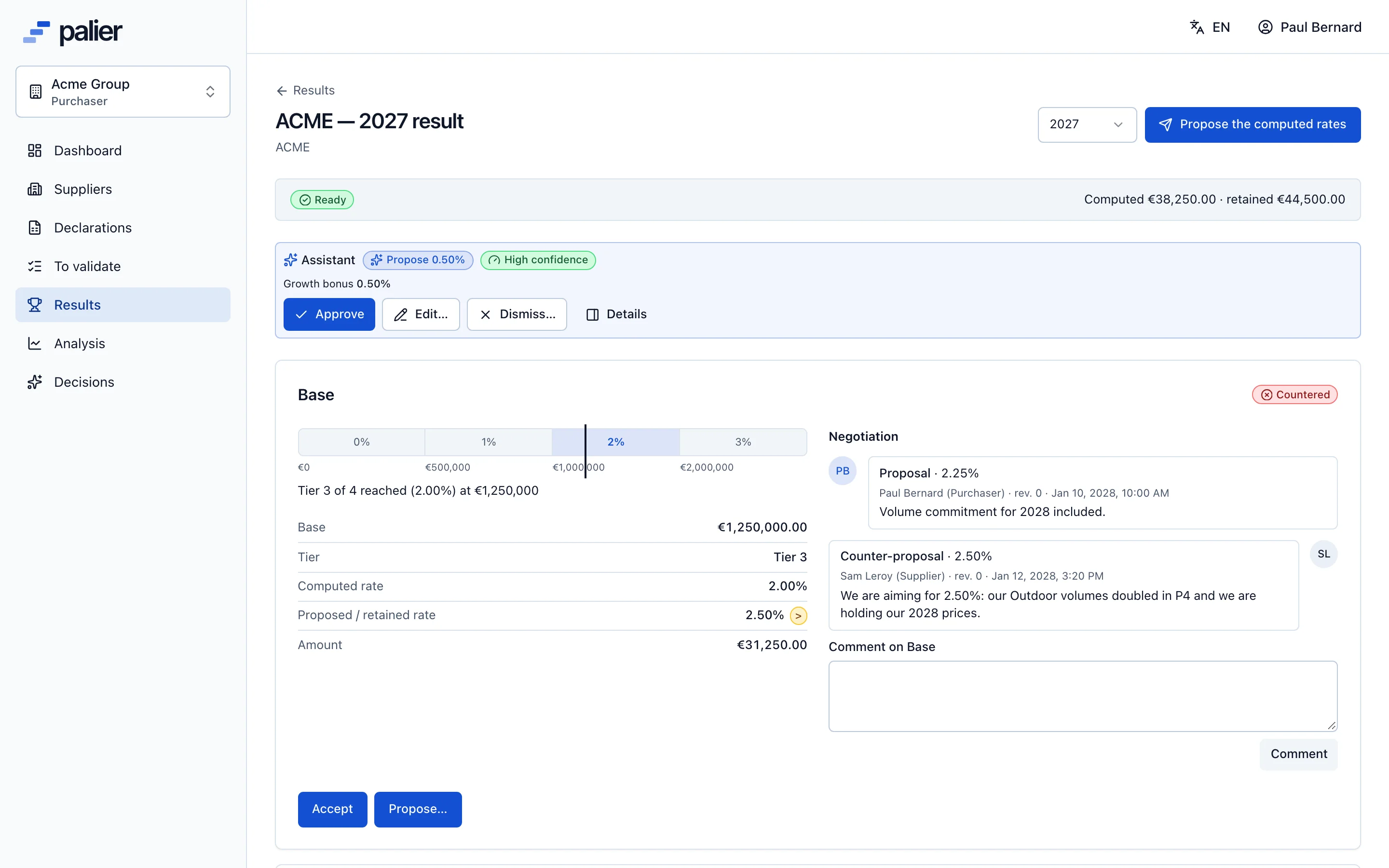
As soon as a supplier’s last period is validated, Palier computes for each scale the tier reached, the computed rate and the amount. The purchaser proposes a retained rate, equal to, above or below the computed one; the supplier accepts, counters or refuses, with a message.
- Amounts in cents, rounded once to the euro or the cent as the account sets
- Computed rates proposed to every ready supplier at once
- One negotiation thread per scale, with each party’s rates and messages
- PDF recap sent to both parties; reopening as a numbered revision
Analysis and next year’s scale
Know where the leverage is before the negotiation starts
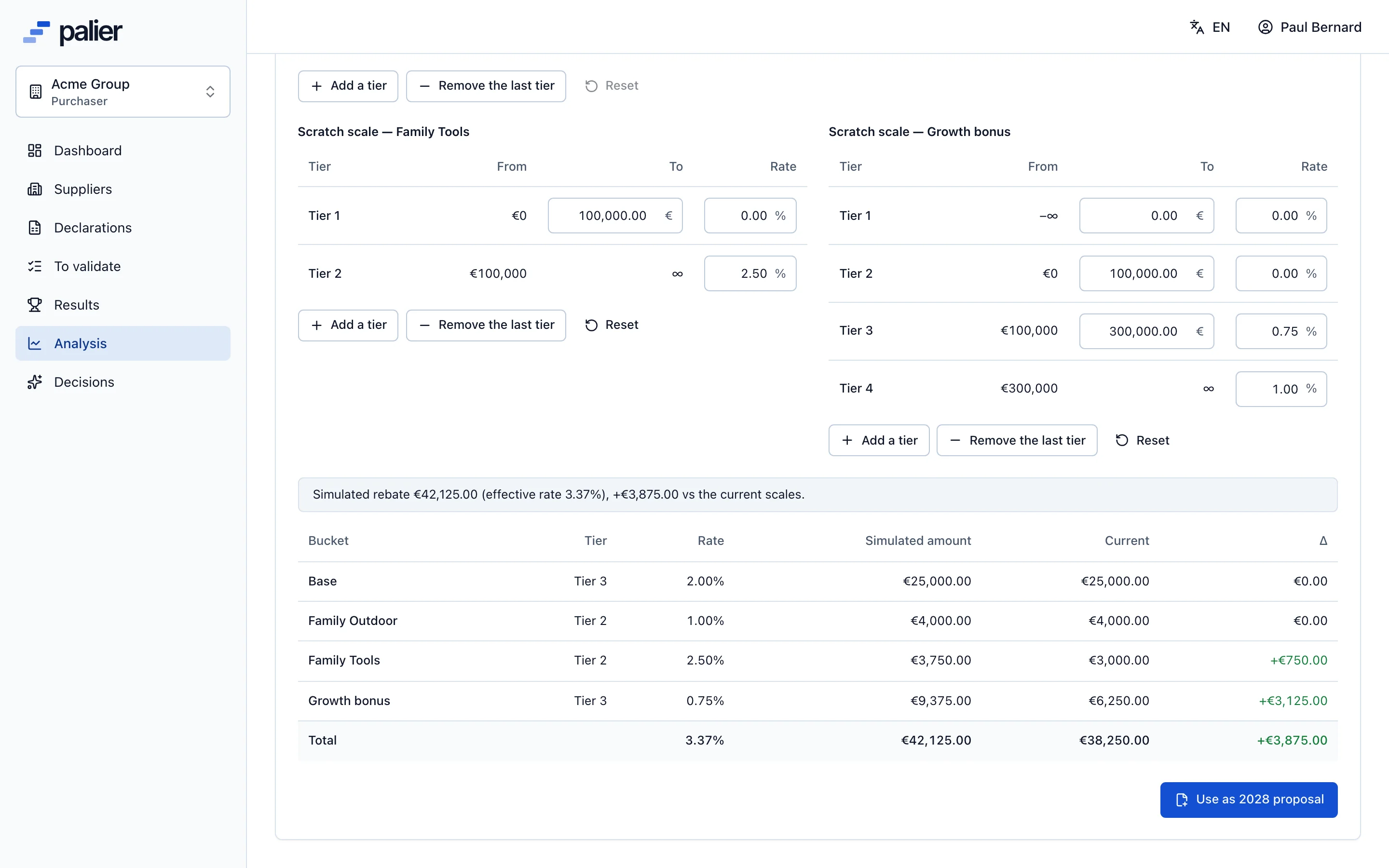
The analysis dashboard follows cumulative turnover, the landing, the projected rebate, the effective rate and the year-over-year change. Suppliers ranked by distance to their next tier show who is within reach of a tier. The simulator tests a new scale on validated turnover, then proposes it as next year’s scale.
- Distance to the next tier and rebate at the next tier, per scale
- Turnover per period this year against last year, portfolio concentration
- Simulate a turnover, a prior-year figure or an edited scale, with instant results
- Next year’s scale proposed to the supplier; once accepted, it becomes next year’s agreement
Two calculation modes
Whole or marginal rate, chosen for each scale
The same scale and the same turnover can produce two very different rebates. Palier applies the mode set in the agreement, scale by scale.
Turnover of €1,250,000 · €0+ 0% · €500k+ 1% · €1m+ 2% · €2m+ 3%
Whole rate · the reached tier’s rate applies to all turnover
Rebate €25,000
Marginal rate · each slice at its own tier’s rate
Rebate €10,000 (effective rate 0.8%)
- €500k × 0% = €0
- €500k × 1% = €5,000
- €250k × 2% = €5,000
AI assistant
A queue of prepared decisions
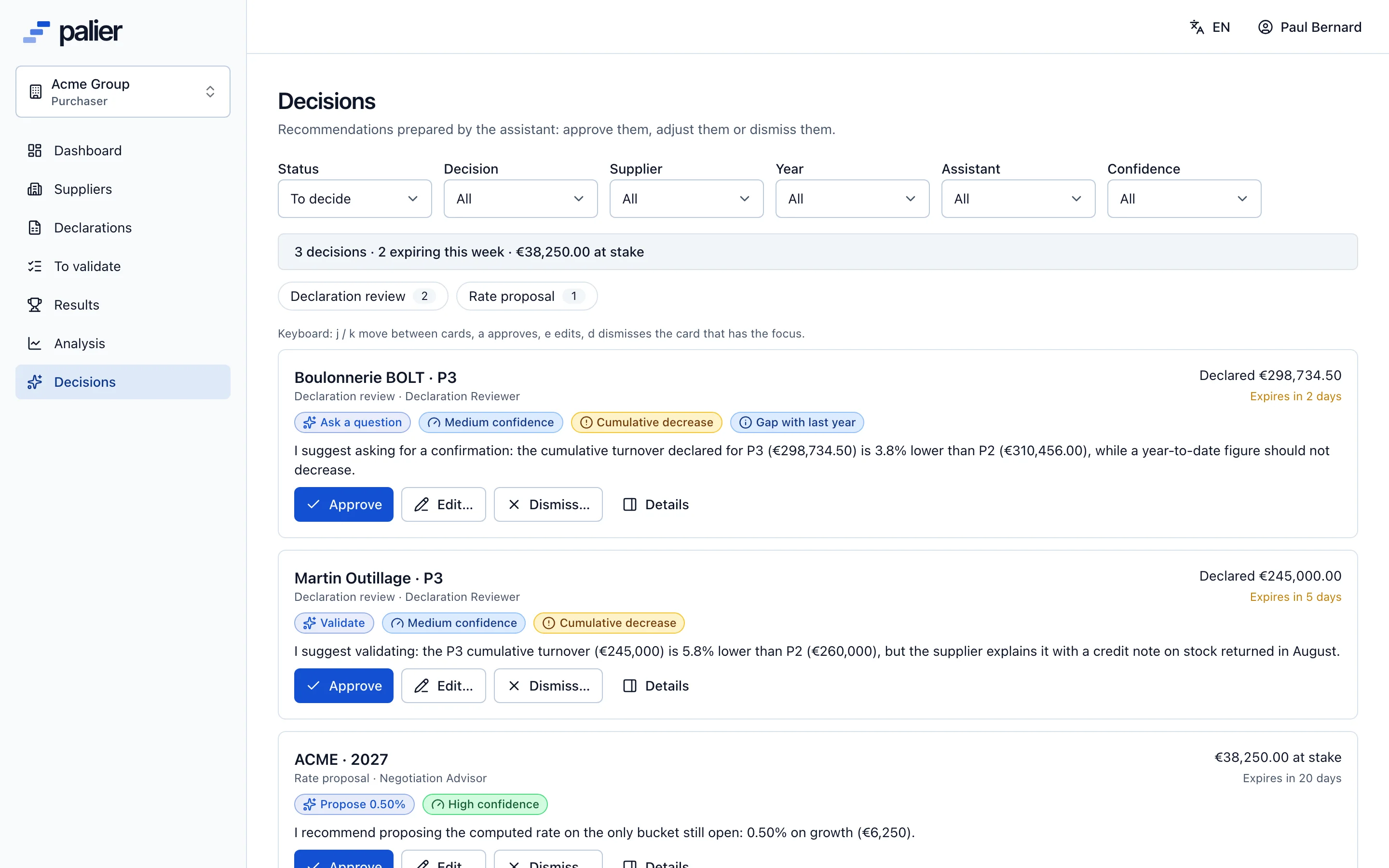
For every submitted declaration and every computed result, the assistant files a decision card: the proposed action, its rationale with figures, the checks behind it and a draft message in English and French. You approve, edit or dismiss.
The platform
Everything that makes rebates auditable
Audit log
Every creation, submission, validation, proposal and reopening is recorded with its author, its date and the values before and after.
Excel import and export
Turnover grid, results, analysis and scales export; the exported template is also the import file, with a cell-by-cell preview.
PDF recap
Once finalised, a recap per supplier and year: base, tier reached, computed rate, retained rate, amount and negotiation dates.
Email notifications
Submission, validation, refusal, proposal, counter, acceptance, finalisation: each party is notified, with a direct link to the right screen.
Four roles
Owner, purchaser, viewer and supplier. A supplier contact sees only its own data; a viewer reads and exports without changing anything.
Reopening and revisions
A finalised result can be reopened by the owner, with a reason, as a numbered revision. The history stays available.
English and French
Interface, emails, error messages and PDFs exist in both languages. Each user picks theirs.
Several accounts
The same supplier contact can work with several customers using Palier and switch between them after signing in.
Permissions
Who does what
| Owner | Purchaser | Viewer | Supplier | |
|---|---|---|---|---|
| Set up the account, periods and members | yes | |||
| Manage suppliers, agreements and scales | yes | yes | ||
| Declare its turnover | yes | |||
| Validate or refuse declarations | yes | yes | ||
| Propose a rate, answer a counter | yes | yes | ||
| Accept, counter or refuse a rate | yes | |||
| Read the analysis and export | yes | yes | yes | own data |
| Reopen validated data | yes |
See Palier on your own tier scales
30 minutes through declarations, validation, calculation and negotiation of your rebates. Send us a scale and we will set it up for the demo.
- Demo on your sample data
- In English or French
- No commitment